Create a Solution Translation Version
For organizations supporting internal users in multiple languages, publishing a Tonkean solution includes creating a translation version for that solution.
Creating a translation version generates a JSON resource file with all the relevant text strings in the solution: interface text, field labels, button text, and so on. Board admins can then use this en-US.json file to translate solution text to other languages.
While solution makers can create translation versions, only board admins can manage locales and their associated resource files in Board Settings.
To create a solution translation version, follow the steps below:
Create translation version is available only when every module in the solution is marked for publish. If any module has pending changes, mark it for publish first. See Mark a Module for Publish.
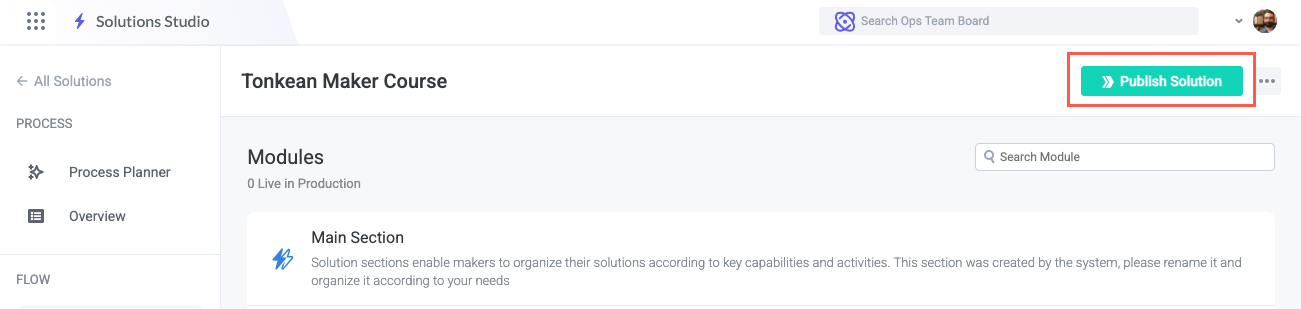
After completing any relevant updates in modules, workspace app pages, and preferences, select Publish Solution in the upper right of the Solution screen. The Publish solution to Production environment window displays.
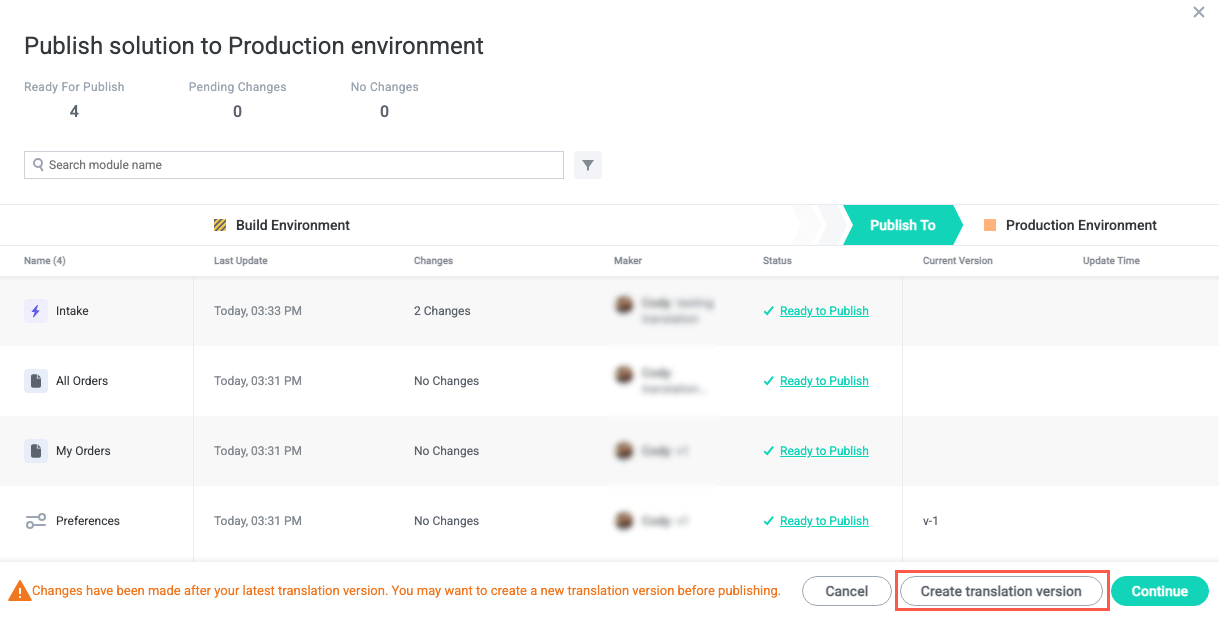
Select Create translation version. The Create version for translation window displays.
Creating a translation version does not publish the solution to Production.
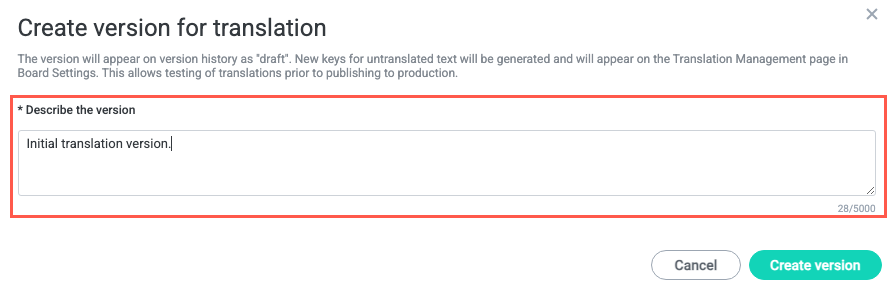
Enter a description for the translation version, then select Create version. New keys for untranslated text are generated and added to the solution’s
en-US.jsonfile on the Board Settings | Translations screen. Admins can then translate these strings and test them in the Build environment before publishing to Production.If machine translation is enabled on your board, new and changed strings are also translated in each existing locale. See Use Machine Translation.
When the version is created, a success message displays in the upper right, indicating the translation resource file is ready on the Translation screen in Board Settings. An admin can now follow the procedure for downloading, translating, and uploading the JSON resource files so the translated text appears in the Tonkean solution.

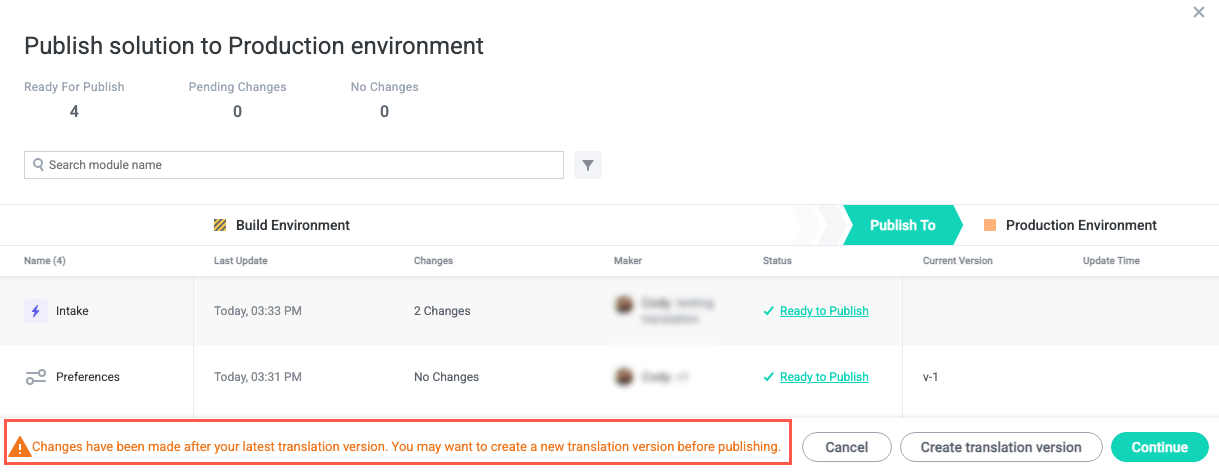
When translations are complete and tested, an admin marks each locale as ready for publish, and a user with solution publishing permissions publishes the translations along with the solution. Note that when relevant text has been updated since the last translation version was created, a message indicating this displays when attempting to publish a solution, reminding the user publishing that those additional strings require translation to be localized for end-users.