Configure SAML Authentication
Tonkean supports SAML-based single sign-on (SSO) for enterprise login. This allows organizations to authenticate users through their identity provider and manage login access through existing SAML configuration.
Create and Configure SAML Login Method
To configure SAML authentication, follow the steps:
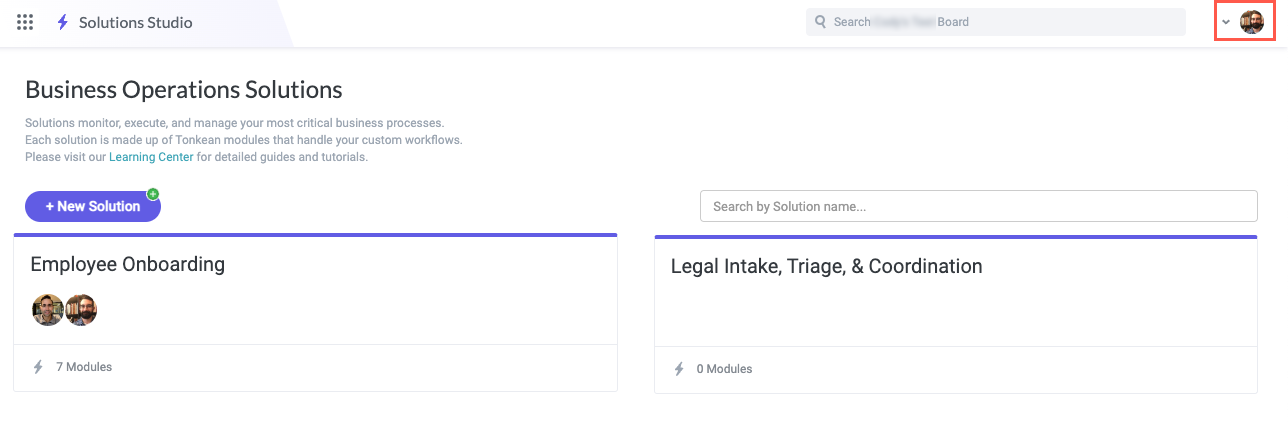
In Tonkean, select your profile icon in the upper right.
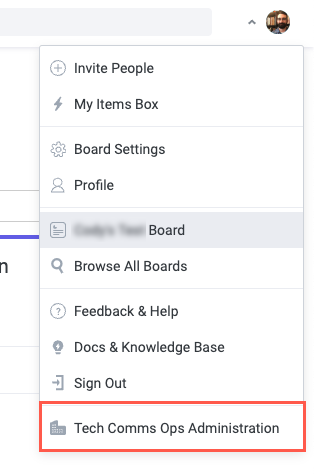
Select the <Enterprise Name> Administration in the dropdown. The Enterprise Administration screen displays.
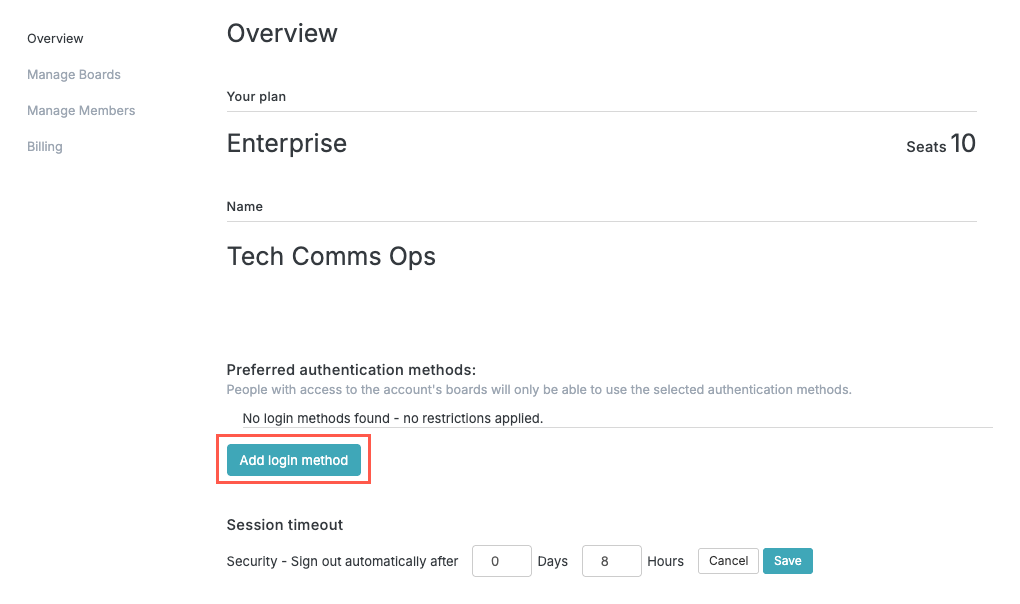
On the Overview screen, select Add login method. Login configuration fields display.
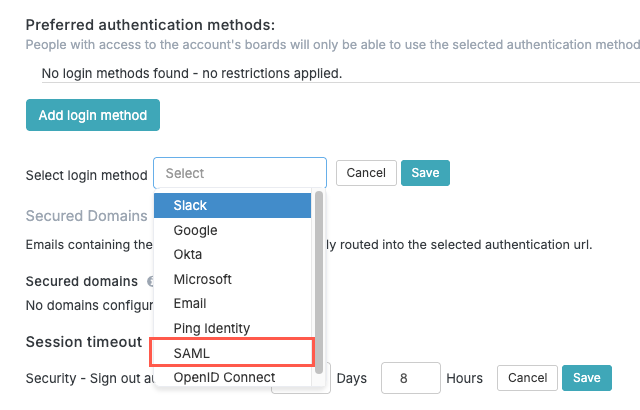
In the Select login method dropdown, select SAML. The SAML configuration options display.
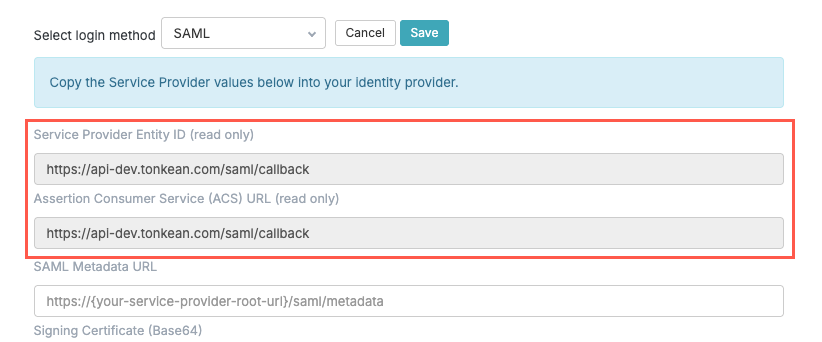
Copy the provided Service Provider Entity ID and Assertion Consumer Service (ACS) URL values into the relevant fields in your identity provider SAML configuration.
Service Provider Entity ID - This unique identifier, often a URL, is used by the Identity Provider to identify Tonkean as the intended recipient of SAML assertions. It is a critical component for correctly targeting the SAML response.
Assertion Consumer Service (ACS) URL - This is the specific URL on the Tonkean platform where the Identity Provider will send the SAML assertion (the security token containing the user's login information). This endpoint is where Tonkean receives and processes the successful login request.
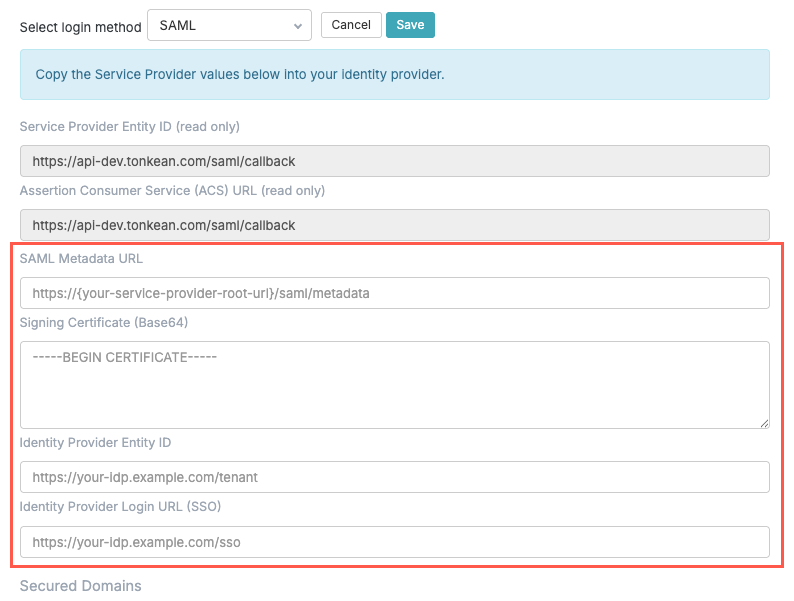
Locate the SAML Metadata URL, Signing Certificate, Identity Provider Entity ID, and Identity Provider Login URL values in your identity provider and enter them into the relevant field in Tonkean.
SAML Metadata URL - This URL provides a convenient way for Tonkean to automatically import all necessary Identity Provider metadata (like the Entity ID, Login URL, and certificate) without manual entry. Using the metadata URL is the preferred, most robust method for configuration.
Signing Certificate (Base64) - The x.509 certificate used by your IdP to digitally sign the SAML assertion. This is crucial for Tonkean to verify the assertion's authenticity and ensure that it has not been tampered with in transit. It must be provided in Base64 encoded format.
Identity Provider Entity ID - A unique identifier for your Identity Provider, which Tonkean uses to confirm that the SAML assertion originated from the expected source.
Identity Provider Login URL (SSO) - This is the URL on your Identity Provider's system that initiates the Single Sign-On process. Users are redirected to this URL when they attempt to log in to Tonkean via SAML.
If you want to include Secured Domains, defining the domains permitted to use the SAML login type, contact Tonkean Support. This feature is disabled by default for security purposes.
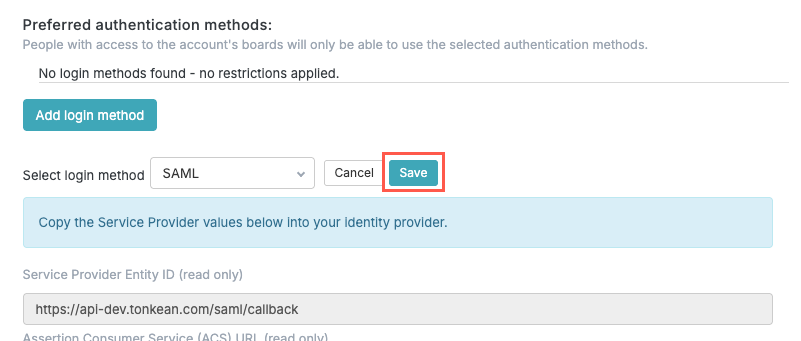
When finished configuring the SAML login method fields, select Save. The login method is saved.
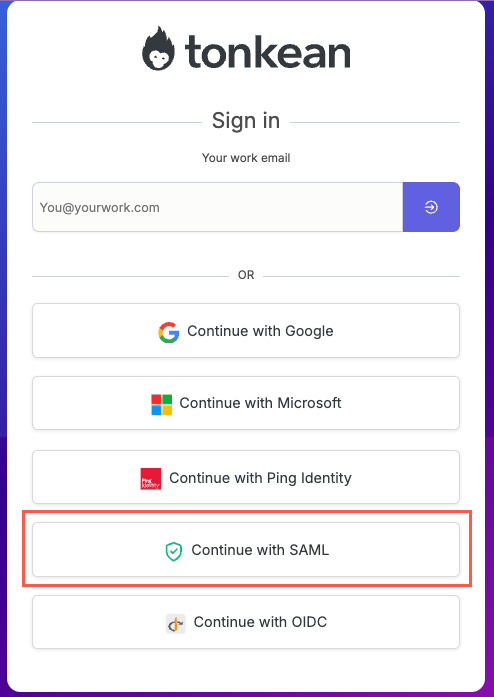
When signing in, users select Continue with SAML on the Tonkean Sign In page.