Preferences - Core Modules
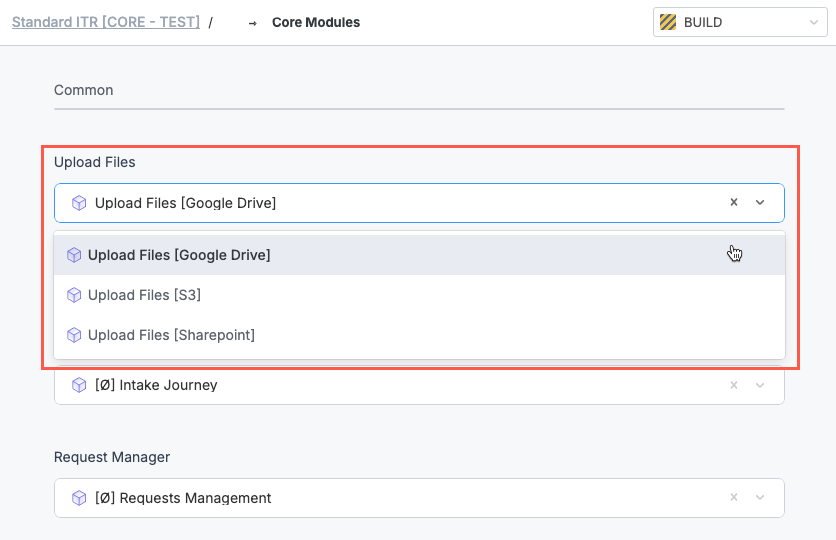
Core modules are the foundation of your solutions and their various processes. Here, you can select which modules Tonkean uses for each part of your process. You can select modules for Intake Journey, Request, Manager, Reviews Orchestration, and more. For example, you can select whether to use Google Drive, S3, or SharePoint for your Upload Files core module, depending on your tech stack and integrated data sources.
Many core modules are locked and cannot be edited. Some core modules allow you to clone them to create new module variants. We recommend only experienced makers create module variants that use Standard Preferences, as the setup can be complex.
Standard Solution default modules (indicated with an [Ø]) are preselected for each category, but you have the option to select module variants or entirely custom modules you created to perform these functions instead.
Select Core Modules
To change a core module, select the dropdown in the relevant category and select the desired module.